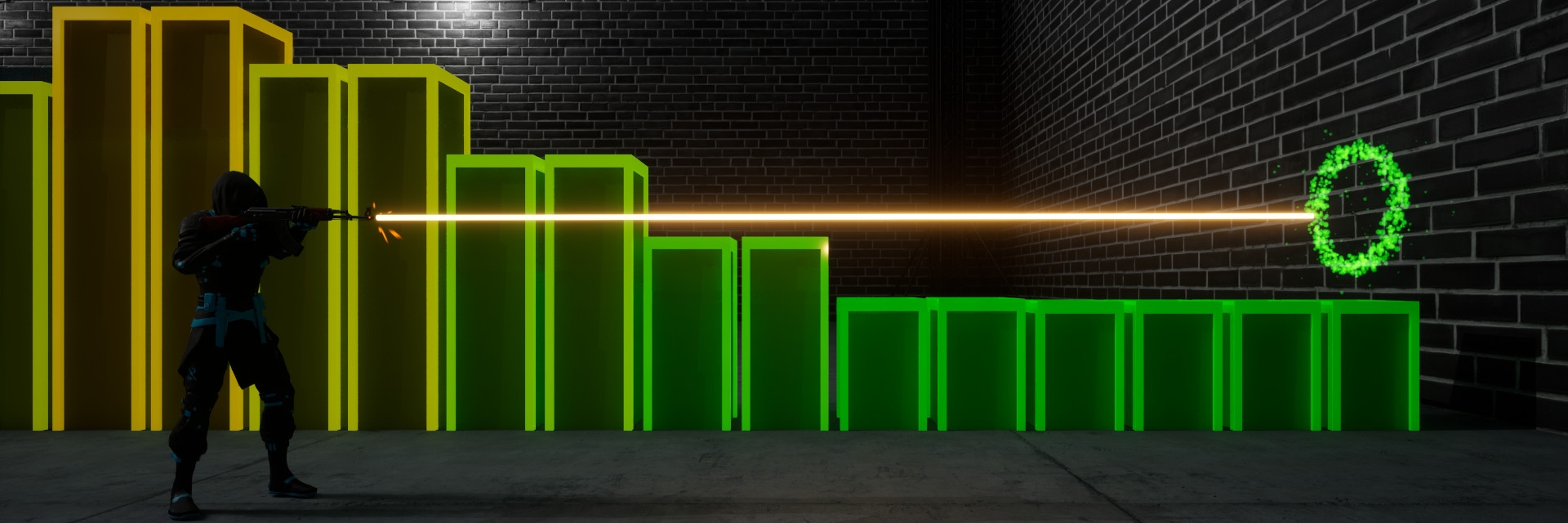
Building on the foundation laid in Part 1, this part breaks down the triggers and execution paths that guide each target through its lifecycle. From spawning and activation to deactivation and eventual destruction, each step serves a unique purpose. Understanding these processes is crucial for grasping the intricacies of how targets are managed within the game.
Initialization
When the map is loaded, the game mode spawns the Target Manager and passes the game mode configuration to it. The Target Manager determines the minimum and maximum size of the total spawn area and sets the dimensions of all box components to appropriate values. Next, each component of the Target Manager is initialized.
The Spawn Area Manager determines the dimensions of all Spawn Areas using the maximum size of the total spawn area. Then, it creates and initializes all Spawn Areas for the game mode.
When a Spawn Area is created, it determines its EGridIndexType based on the location and index it received from the Spawn Area Manager. Using this, it stores the direction and index of all adjacent Spawn Areas in a map, which are used to find bordering Spawn Areas in Grid-based game modes.
enum class EGridIndexType: uint8
{
    Corner_TopLeft,
    Corner_TopRight,
    Corner_BottomRight,
    Corner_BottomLeft,
    Border_Top,
    Border_Right,
    Border_Bottom,
    Border_Left,
    Middle,
};
Spawning
- UpfrontOnly: Spawns all targets inside ATargetManager::Init. No other targets are spawned for the duration of the game mode.
- RuntimeOnly: Spawns targets based on beat thresholds detected by the audio analyzer, which triggers the game mode to call HandleAudioAnalyzerBeat on the Target Manager.
There are two spawning methods in BeatShot:
The first function HandleAudioAnalyzerBeat calls is HandleRuntimeSpawning, where the Target Manager determines how many targets to spawn. It ensures that only targets capable of activation are spawned, unless the game mode allows spawning without activation. For example, if three targets are currently activated and the Maximum Number of Activated Targets at Once is set to four, only one target will be spawned, regardless of the Number of Runtime Targets to Spawn.
At the end of HandleRuntimeSpawning, the size of the total spawn area is updated, and the sizes of the targets to spawn are determined using a curve table lookup if dynamic, or randomly selected if random. Finally, the Target Manager retrieves a set of FTargetSpawnParams from the Spawn Area Manager by calling GetTargetSpawnParams, where the number of targets to spawn and an array of target sizes are passed to the function.
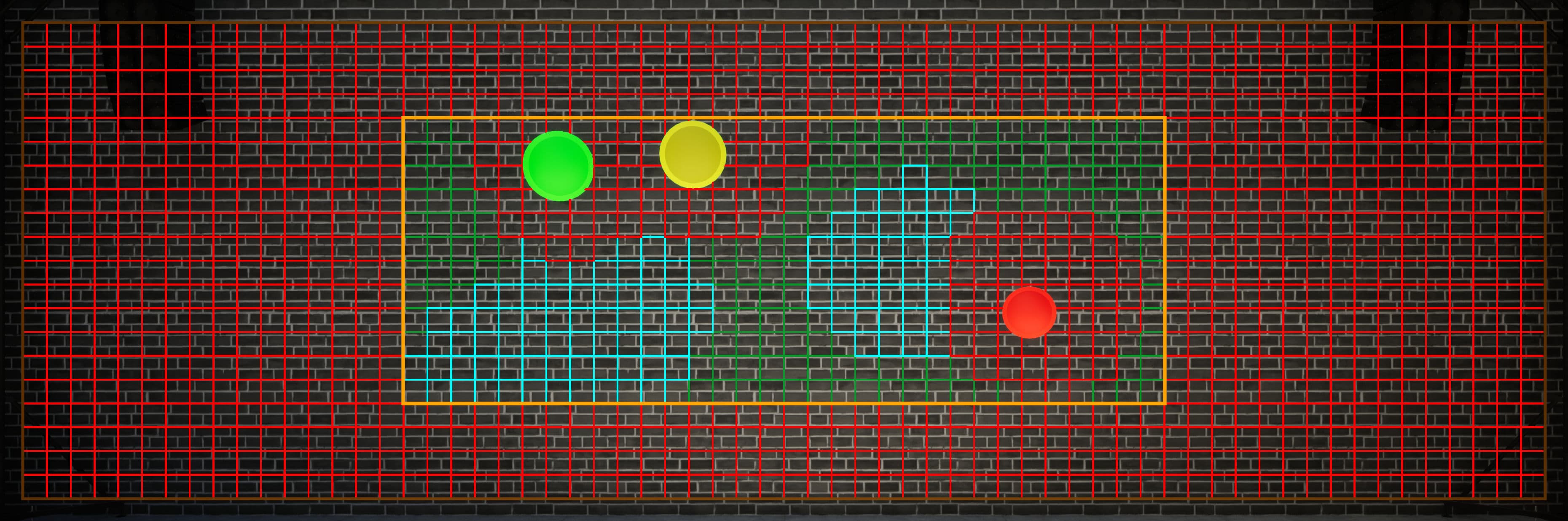
Figure 1:
The current total spawn area inside the total spawn areaGetTargetSpawnParams is central to spawn location decision-making, involving several steps. For all Target Distribution Policies besides Grid, the procedure is as follows:
- The set of Spawn Areas within the current total spawn area, shown as an orange box in Figure 1, is considered for spawning.
- The set of Spawn Areas that are managed, activated, or recent is obtained. These Spawn Areas, which will be removed from the candidate set, are referred to as the invalid set.
- The main loop iterates over the number of targets to spawn. At each iteration, a copy of the Spawn Area candidates is passed to RemoveOverlappingSpawnAreas, which performs the following:
- Removes all Spawn Areas in the invalid set from the candidates.
- For each managed, activated, or recent Spawn Area, a sphere trace is performed to identify Spawn Areas that should be removed due to overlapping targets. These are the red boxes inside the current total spawn area in Figure 1.
- For more details on this process, check out the Spawning Targets Without Intersection article.
- ChooseSpawnableSpawnArea is called with the modified candidate set and the set of Spawn Areas chosen during iteration. This function determines which Spawn Area to choose using a priority list based on game mode settings, defaulting to random if a higher priority setting fails to select a valid Spawn Area.
- Force Every Other Target In Center : chooses the center-most Spawn Area.
- Spawn In Center When Possible : chooses the center-most Spawn Area if available.
- AI Enabled : Passes the modified candidate set to the Reinforcement Learning Component, which selects a Spawn Area.
- Chooses a random Spawn Area from the candidates.
- If ChooseSpawnableSpawnArea returns a valid Spawn Area, it is removed from the candidate set, added to the invalid set, and an FTargetSpawnParams structure is created and added to the returned set.
Once the set of FTargetSpawnParams has been obtained, SpawnTarget is called for each element in the set. The target sets its Attribute Set values, such as health and damage, in PostInitializeComponents, but it requires the game mode configuration data to do so. The SpawnActor overload with FActorSpawnParameters is used to create a custom pre-spawn initialization function that calls ATarget::Init, passing the relevant game mode configuration to the target. Using a custom pre-spawn initialization ensures that Init is called before PostInitializeComponents. Additionally, any immunity is applied to the target here, and the Projectile Movement Component is configured based on the game mode’s movement settings.
Once a target has been spawned, it is added to the Target Manager's map of managed targets. The Target Manager calls the Spawn Area Manager's FlagSpawnAreaAsManagedfunction, assigning the target's FGuid (globally unique identifier) to the Spawn Area, signifying it now represents a target. Finally, it is cached to the set of managed Spawn Areas.
Figure 2 shows the execution path covered up to this point.
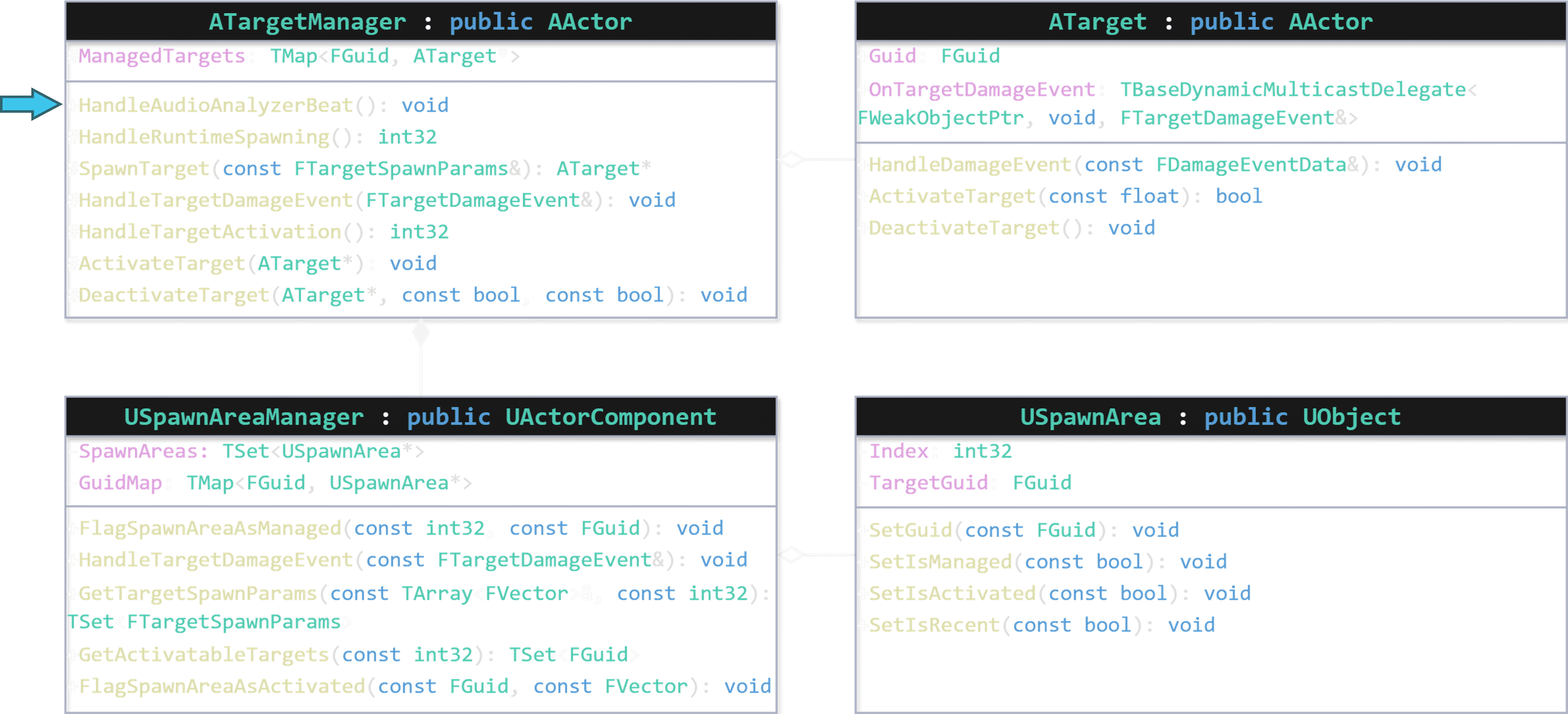
Figure 2.1:
The game mode calls HandleAudioAnalyzerBeat.Activation
The second function that HandleAudioAnalyzerBeat calls is HandleTargetActivation.
The TargetManager queries the Spawn Area Manager to obtain the number of activated and deactivated Spawn Areas. Using these values along with the game mode settings, the Target Manager determines how many targets need to be activated. By calling GetActivatableTargets, the Target Manager receives a set of target FGuids, passing the number of targets to activate to the function. The process for identifying activatable targets is simpler than finding spawn locations and starts with using a priority list to gather activation candidates:
- The set of Spawn Areas that are managed, deactivated, and not recent is considered for activation.
- If no Spawn Areas that meet these criteria, the search is relaxed to include only managed and deactivated Spawn Areas.
- If no managed and deactivated Spawn Areas are found and Allow Activation While Activated is true, the set of activated Spawn Areas is considered for activation.
If the Target Activation Selection Policy is set to Bordering, all Spawn Areas that are not adjacent to the most recently activated Spawn Area are removed from the candidate set, provided this does not result in an empty candidate set.
The procedure from this point is similar to GetTargetSpawnParams:
- The main loop iterates over the number of targets to activate.
- ChooseActivatableSpawnArea is called with the set of candidates and the set of Spawn Areas chosen during iteration. This function uses the same priority list as the ChooseSpawnableSpawnArea function discussed earlier.
- If ChooseActivatableSpawnArea returns a valid Spawn Area, it is removed from the candidate set, added to the chosen set, and the FGuid of the Spawn Area is added to the returned set.
Once the set of target FGuids have been obtained, ActivateTarget is called for each element in the set, applying any Target Activation Responses to the target.
The Target Manager then calls FlagSpawnAreaAsActivated on the Spawn Area Manager. This updates the state of the Spawn Area, stores the target scale when activated, and caches the Spawn Area in the set of activated Spawn Areas.
As soon as a target is activated, its timelines controlling color and/or scale begin playing, and a timer is set for the duration of its Max Lifespan. If the timer expires, the target inflicts damage to itself equal to the Expiration Health Penalty using a UGameplayEffect.
Figure 3 shows the execution path covered up to this point.
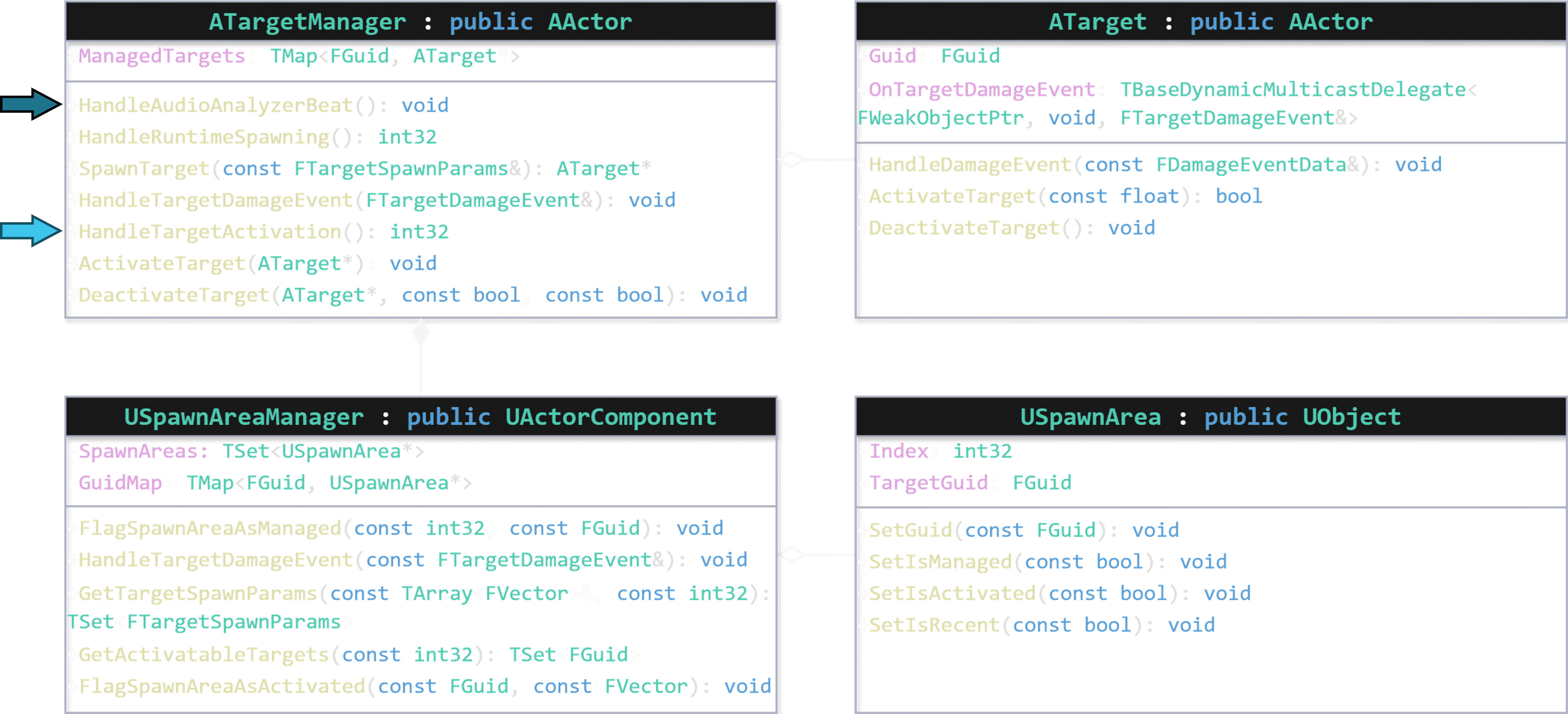
Figure 3.1:
HandleTargetActivation is called inside HandleAudioAnalyzerBeat.Deactivation
Deactivation is triggered when the target’s health attribute changes. Whenever this occurs, the OnTargetDamageEvent delegate is broadcast from the target with an FTargetDamageEvent payload containing the following information:
- The current health of the target
- The FGuid of the target
- The duration for which the target has been alive, or -1 if the target expired. This information is primarily used for scoring purposes
- The amount of health the target lost due to the damage event
- The method by which the target lost health (player damage or self-inflicted)
Each OnTargetDamageEventdelegate is bound to the Target Manager's HandleTargetDamageEvent function. The Target Manager processes the data from the FTargetDamageEventusing the following functions to determine the target's fate:
- ShouldDeactivateTarget evaluates whether the target should be deactivated based on the Target Deactivation Conditions. If deactivation is warranted, DeactivateTarget is called to apply any Target Deactivation Responses and execute ATarget::DeactivateTarget.
- ShouldDestroyTarget assesses whether the target should be destroyed based on the Target Destruction Conditions.
At this stage, all relevant data has been extracted from the target, and the FTargetDamageEvent is updated to reflect whether the target was deactivated and if it will be destroyed.
The Target Manager then updates the count of consecutive targets hit and adjusts the dynamic scale factor. This value influence the target size under a SkillBased Consecutive Target Scale Policy and the total spawn area under a Dynamic Bounds Scaling Policy. The FTargetDamageEvent is subsequently forwarded to the game mode, which updates the score and player HUD.
Next, USpawnAreaManagerComponent::HandleTargetDamageEvent is called. The Spawn Area associated with the target's FGuid is identified, and data on whether the target was successfully hit is recorded. If the damage event indicates that the target was deactivated or will be destroyed, the following functions are executed:
- RemoveActivatedFlagFromSpawnArea removes the the Spawn Area from the cached set of Activated Spawn Areas and updates its state.
- FlagSpawnAreaAsRecent adds the Spawn Area to the set of recent Spawn Areas. Depending on the Recent Target Memory Policy, the Spawn Area may be removed immediately, on a timer, or later based on the number of recent Spawn Areas.
If the damage event indicates the target will be destroyed, RemoveManagedFlagFromSpawnArea is called to remove the the Spawn Area from the cached set of Managed Spawn Areas.
If AI Enabled, the reward for the previous-current target location pair is updated in the Reinforcement Learning Component.
Figure 4 shows the execution path from the moment a target is damaged.
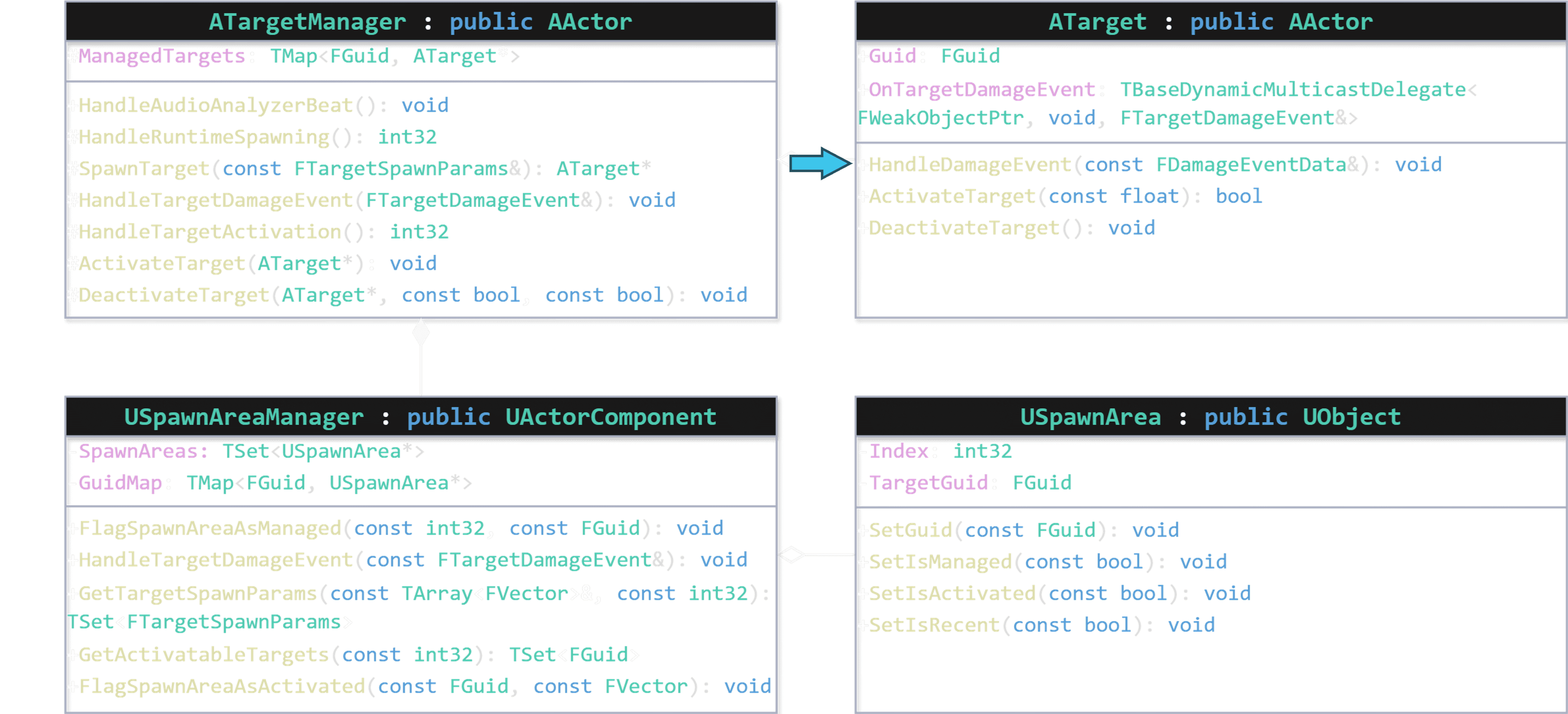
Figure 4.1:
HandleDamageEventis called by the target's health component due to a health attribute change.Destruction
When a target is flagged for destruction, it is first removed from the Target Manager's managed target map. The Destroy function is then called on the target to handle its removal from the game.
Conclusion
Exploring the intricate processes behind target spawning, activation, deactivation, and destruction highlights the complexity of creating a target management system for an aim-training game. The detailed breakdown of each step in the target lifecycle helps provide a deeper understanding of the game's mechanics. Whether you're a player or a developer, I hope you appreciate the design choices that went into BeatShot's target spawning system.
Posted: July 21, 2024